
The Dirty Dozen (Frank De Vol, 1967): The 1967 hit The Dirty Dozen was an early example of the more edgy, revisionist approach to war movies that would eventually largely dominate the genre. The film is an all-star action/adventure about a squad of hardened criminals that are sent on a suicide mission during World War II.
Composer Frank De Vol, who is probably better known as a songwriter (including the famous “Brady Bunch” theme) provided a very upbeat, traditional war movie score that was intentionally designed to be somewhat in conflict with the film’s very violent, and even cruel, depictions of war. Separated from the context of the film, the score loses its ironic component and, instead, simply plays as a fun, old-fashioned war movie action score. I consider it to be a fascinating and impressive aspect of this score that it plays so differently in the film and on an album.
Central to the score is a fairly simple, 4-note motif that sounds like it could easily be matched to the four syllables of the movie’s title, although De Vol fortunately avoids that temptation. Surrounding that motif is a score full of marches and largely dominated by brass and percussion. The tone of the music remains generally light throughout much of the score and even occasionally takes amusing turns, such as the big band sound first heard during the cue “The Builders / Train Time”. On occasion, De Vol also incorporates familiar melodies such as “Don’t Sit Under the Apple Tree” and “You’re In the Army Now” in a few cues. The score also has some fairly traditional suspense cues as well, such as “The Wire Cutter / Posey’s Fight”.
The soundtrack also features two original songs that were written by De Vol for the film. These include a German folk-style song entitled “Einsam” and performed by Sibylle Siegfried and the pop song “Bramble Bush” performed by Trini Lopez. The latter is pretty firmly steeped in the popular style of the late 60s and is the one part of the film’s music that does tends to date it.
Film Score Monthly released a limited edition CD (still available) of the complete score in 2007. This CD release more than doubles the running time of the original LP release, which had received a couple previous CD releases paired with other scores. The limited edition CD also contains the first releases of the versions of the two songs as used in the film. It does also include the album versions of the songs as bonus tracks, along with a few pieces of source music and score alternates.

Dirty Rotten Scoundrels (Miles Goodman, 1988): Miles Goodman was a prolific film composer during the 1980s and 1990s (until his untimely death in 1996 at age 46), although very few of his scores have been released to CD. Goodman tended to specialize in comedies, many of which also contained a number of songs, which is likely the main reason for the relative lack of score soundtracks. His frequent collaboration with director Frank Oz was a particularly fruitful one.
In 2010, La La Land Records put out a limited edition CD of Goodman’s score to Oz’s big comedy hit Dirty Rotten Scoundrels. While the release was a limited edition of only 1200 copies, it is still readily available at the time that I’m writing this. The film was a farce starring Steve Martin and Michael Caine as con-men competing to woo a mark played by Glenne Headly. The setting is a small coastal town in France, which provides Goodman with the opportunity to provide a lively, European sounding score.
The score is consistently upbeat, with an often jazzy style to it. Strings and horns dominate, particularly in the fast paced, swinging main theme, which debuts in the opening cue “Prologue/Dirty Rotten Theme” and then figures prominently throughout the score. The rest of the score continues in a similar style, with the string composition particularly conveying a European classical feel to much of it. The aptly named “Ruprecht Tango” is a particularly strong example of the European influences.
The soundtrack also includes Goodman’s instrumental arrangements of a few well-known standards: Jerome Kern’s “Pick Yourself Up”, Irving Berlin’s “Putting On the Ritz”, and Harry Warren’s “We’re In the Money”. Stylistically, these arrangements fit in very well with the rest of the score.
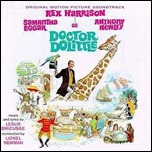
Doctor Dolittle (Leslie Bricusse, 1967): The 1967 big-budget (for the time), musical version of Dr. Dolittle was, at the time of its release, a notorious box-office failure that was also pretty widely savaged by critics (although the film was surprisingly nominated for the Best Picture Oscar). While it isn’t quite right to say that the film has become a classic, it has played reasonably well on TV and home video over the years and some of the songs have endured fairly well.
The most famous and enduring of Leslie Bricusse’s songs is “Talk to the Animals”, which was performed by Rex Harrison as the title character. That catchy song won the Academy Award for Best Song that year and is now something of a standard that is likely to be recognizable even to those that don’t really know the film. This familiar song is fairly typical of the lyrical style found on all of Bricusse’s songs for the film and the overall score does have a very coherent sound with the songs all fitting together well.
Harrison, who was best known as Henry Higgins in My Fair Lady, was the central performer and dominates the song score. The songs are written to be well-suited to his distinctive style of speak-singing and he does bring a fair amount of charm to his songs. Besides “Talk to the Animals”, he also is solo performer on “The Vegetarian”, “When I Look In Your Eyes”, “Like Animals” and “Something In Your Smile”.
The other prominent performers on the soundtrack are Anthony Newley as the doctor’s friend and Samantha Eggar as the love interest. Newley was a very popular singer at the time and lends his expressive voice to several solos, including “My Friend, the Doctor”, “After Today”, “Where Are the Words” and the title song. He also duets with Eggar on “Beautiful Things”. Eggar has the solo “At the Crossroads” and duets with Harrison on two songs: “Fabulous Places” and “I Think I Like You”.
The soundtrack was originally released on LP with the film and has been issued on CD a couple different times. The content of all releases has been the same, with the full set of songs from the film, including “Where Are the Words” and “Something In Your Smile”, which only were used in the early road-show version of the film. The only instrumental piece is the overture that opens the album.
Read More »

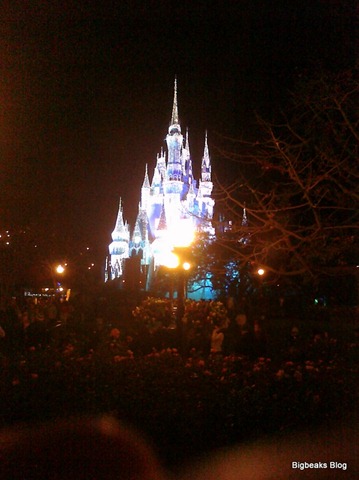
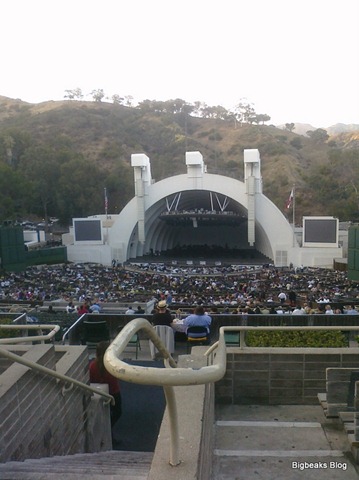 The camera isn’t a substitute for a real dedicated digital camera, but it does take pretty acceptable photos under good conditions. It has come in very handy for occasional photos taken when I don’t happen to have another camera along or when I want to immediately share a photo via Facebook or Twitter. I think I took more photos with the Pre in the first couple months that I had it than I ever took with my previous phones. The photos in this section were all taken using the Pre camera.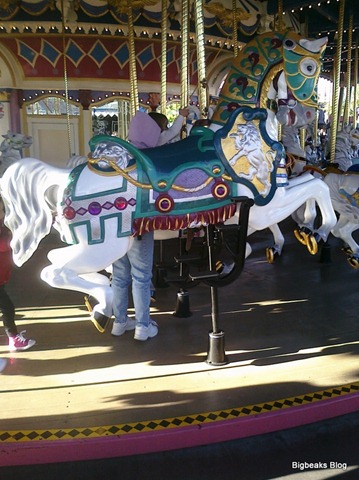
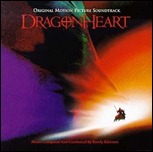
 (Randy Edelman, 1996): Randy Edelman’s main theme to Dragonheart has been used in so many trailers for other movies that it is likely to be instantly familiar to most people even if they have no idea what it is from.
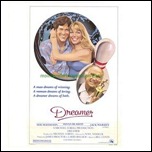
 (Bill Conti, 1979): This fairly obscure Bill Conti score opens with a “Main Title” cue featuring a pleasantly old-fashioned Americana swing-music style, which figures prominently in other parts of the score as well. Towards the end of the cue, it transitions into more of the late-70s pop style that is more typical of Conti’s scores during that time period.




 Bigbeaks Blog