
This continues my review of the HP/Palm Pre and webOS. Click below for the previous parts:
Part 1: Introduction and Hardware
Part 2: User Interface, Launcher, and Multitasking
 Probably the most innovative feature of WebOS is its ability to consolidate contacts and calendar data from multiple web-based sources, a feature that Palm branded as “Synergy”. Currently, the OS can consolidate calendars from Google, Facebook, Yahoo, and Microsoft Exchange and contacts from those same services plus LinkedIn. Calendar entries and contacts entered directly into the phone can be directed to any of those services or to an online Palm Profile that is created during the initial set-up of the phone.
This ability to manage personal data from multiple cloud-based sources is the killer application in WebOS and other platforms (especially Android) are already implementing similar features. At this point, the lack of a similar feature is probably the most glaring omission in Apple’s iOS. It is becoming increasingly uncommon for anyone to have all of their contacts and calendars in a single location and the ability to effectively organize and consolidate it all is becoming vital. Since I’ve had the Pre, it has become my primary calendar and address book. Even when I’m near a desktop or laptop computer, I know that I’m likely to find the most complete version of what I’m looking for on the phone.
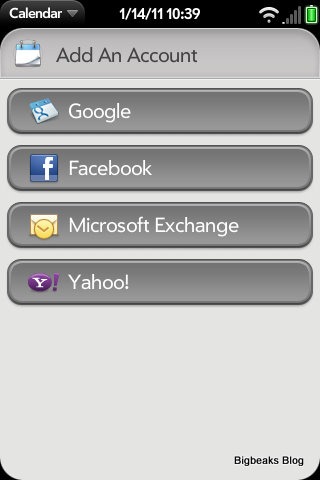 While it generally works reasonably well already, the feature is somewhat in the infant stage. HP/Palm especially needs to expand it to pull data from a wider variety of sources. They are still missing a few major services such as MSN and AOL. Native support for more generic formats such as iCal would certainly be a big plus as well. Adding synchronization of tasks and memos is also an obvious need that I’m pretty surprised that they have yet to address. WebOS 2.0 reportedly exposes more of Synergy in its public APIs, which should allow more services to implement their own synchronization.
I also strongly believe that HP/Palm should beef up their own Palm Profile service for those that might prefer not to use a 3rd party service for managing their personal information. At the very least, they should implement the ability to view and manage data stored in the Palm Profile via the web. Currently the data are only accessible on the phone itself. There have also been reports of data loss from the Palm Profile when people have replaced or had to hard-reset their phones and this is something that is simply unacceptable with a cloud-based solution and must not continue.
One other shortcoming that is often cited is that there is no out-of-the-box solution for synchronizing with desktop applications for those that are still generally avoiding storing this kind of information in the cloud. They do provide a tool for doing a one time transfer of data from Microsoft Outlook or the older Palm Desktop (used with the old Palm OS), but it does not establish an ongoing synchronization. I don’t personally feel this is a bad decision, though. There are already third-party solutions available to do this kind of synchronization (admittedly at an extra charge) and I think it probably is wiser for Palm to keep their own focus on the cloud-based approach, which I do think will be the preferred solution for most people.
Calendar In the calendar application, the default view is a combined one with the events from each source (Exchange, Google, Facebook, etc.) color coded. In the settings, you can select the specific color to use for each source and can also have it remove specific calendars from the combined view. From the main screen, it is also easy to switch to a filtered view that only shows events from any single source.
G oogle’s calendar supports multiple calendars on a single account and webOS treats each as a separate source with its own color-coding and option to display or not in the combined view. Since Google offers the ability to subscribe to iCal or other types of calendar feeds, this provides a method to pull in events from many calendar systems that aren’t directly supported by Palm. I use TripIt for travel planning and scheduling and was able to subscribe to its calendar feed via Google.
I have found that there are some quirks/bugs in the system, which I hope Palm will work out in time. Sometimes updates made online to a calendar have taken several hours to show up on the Pre and, occasionally, never made it there at all. This problem was particularly common when subscribing to an external calendar source in Google and I eventually ended up dropping the TripIt subscription in favor of manual imports.


 (Leslie Bricusse, 1967): The 1967 big-budget (for the time), musical version of Dr. Dolittle was, at the time of its release, a notorious box-office failure that was also pretty widely savaged by critics (although the film was surprisingly nominated for the Best Picture Oscar). While it isn’t quite right to say that the film has become a classic, it has played reasonably well on TV and home video over the years and some of the songs have endured fairly well.


 (Michael Kamen, 1988): Today, the original Die Hard is considered to be an iconic action film. Not only was it a blockbuster that kicked off a major franchise and established the film careers of Bruce Willis and Alan Rickman, it essentially served as the prototype to an entire sub-genre of action movies that are now regularly described with a phrase starting with “Die Hard on a …” At the time it came out, the film was viewed as having more limited potential, though, particularly due to it headlining Willis, who at the time was primarily a TV actor and mainly known for romantic comedy.
 (Michael Kamen, 1990): For the first sequel to Die Hard, the filmmakers (led by new director Renny Harlin) didn’t stray too far from the formula established in the first film. The sequel once again takes place during the holiday season and again has Bruce Willis fighting back against terrorists in a fairly enclosed complex (this time an airport instead of a skyscraper). The film even included a few bits of dialog that directly addressed the implausibility of Willis’ character facing two such similar situations.

 (John Barry, 1972): Diamonds Are Forever was the 7th film (and the last to star Sean Connery) in Eon Productions’ James Bond series. By this point, the musical style of the series was firmly established by John Barry, who had worked on all of the previous films and was the sole credited composer on all but the first.
 (Alan Silvestri, 1986): Alan Silvestri’s score to the Chuck Norris action film Delta Force is one of the most prominent fully-electronic scores of Silvestri’s film career. There are no orchestral elements in the score at all. It is instead entirely performed on a Synclavier synthesizer, giving it a very energetic, modernistic sound. Silvestri’s musical style is definitely evident in the score, but the electronics gives it a somewhat different flavor.

 (Bernard Herrmann, 1951): Robert Wise’s The Day the Earth Stood Still is definitely a milestone in movie science fiction. In a time when the genre was dominated by cheesy monster movies, this was a serious, dramatic story with a powerful and resonant message. Bernard Herrmann’s score is also a milestone, establishing a style that is now immediately evocative of alien invasion storylines.
 under conductor Joel McNeely, which is still readily available and apparently contains pretty much the same program as the soundtrack album. I don’t have that release, but based on the quality of McNeely’s other re-recordings I would imagine it is a competent performance and likely has a better sound quality than the original soundtrack cues.
 (Tyler Bates, 2008): For the 2008 remake of The Day the Earth Stood Still, Tyler Bates had the unenviable job of following in the footsteps of Bernard Herrmann’s iconic score for the 1951 original. While I doubt it was a conscious decision, it seems like Bates’ main way of distinguishing his effort from Herrmann’s was to make it as conventional as the original score was unconventional. There isn’t anything substantially wrong with Bates’ score, but it just isn’t all that memorable or distinctive.
 (John Debney, 1995): Cutthroat Island is one of those movies that is best known as a legendary flop. In this case, it is particularly notable as the film that killed off Carolco (the previously successful production company behind films like Basic Instinct and Terminator 2: Judgment Day) and the one that led to a conventional wisdom that movies about pirates were box-office poison, at least until Disney, Jerry Bruckheimer, and Johnny Depp changed everyone’s mind a decade later. I actually think it is a film that is better than its reputation, but it still is pretty severely flawed and it isn’t too difficult to see why it didn’t succeed.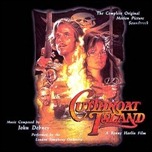
 of the soundtrack that runs an amazing nearly 2 1/2 hours in length and contains essentially all the music from the film as well as bonus tracks including a synth demo of the main title and a few tracks with the choral portion removed. This may be a bit much for casual listeners, but is definitely the best choice for major fans of the score. This release is still possible to obtain, but is rarer and typically quite a bit more expensive than the single disc version.
 (Hans Zimmer, 2006): For Ron Howard’s blockbuster adaptation of Dan Brown’s hugely popular novel, Hans Zimmer provided an intense score that provided an interesting mix of his own typical thriller scoring and some traditionally classical religious sounding themes. The result was one of Zimmer’s most effective and melodically diverse scores of recent years.
 (Jerry Goldsmith, 1978): Jerry Goldsmith’s one and only Academy Award was for The Omen, a particularly impressive accomplishment when you consider the Academy’s usual lack of attention to horror movies. After that major creative success, it isn’t too surprising that Goldsmith returned to the material for the 1978 sequel (and later for the third film), providing a leaner and more action-packed score that is related to the original more in stylistic approach than in the specific musical content.
 (Mark Mancina & Trevor Rabin, 1997): Teaming up Mark Mancina and Trevor Rabin, two of the major composers to come out of Hans Zimmer’s Media Ventures film score company during the late 1990s, Con Air features a pretty hard-driving, largely electronic score that echoes the film’s intense, adrenaline-fueled action.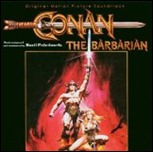
 (Basil Poledouris, 1982): Although he had been around for quite a while, and even scored some high profile projects, this extremely popular score did quite a bit to elevate Basil Poledouris into the upper tier of composers and established him as a solid choice for scoring high energy action films.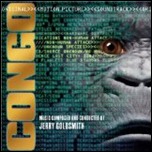
 (Jerry Goldsmith, 1995): This adaptation of Michael Crichton’s novel was seriously panned by critics (although it did reasonably well at the box-office), although I think it actually is a film that is a lot better than its reputation. Possibly its strongest component was the exciting, ethnically-appropriate score by Jerry Goldsmith.
 Bigbeaks Blog